Sometimes it’s useful to overwrite the created by and last modified by fields and get rid of that pesky ‘System Account’ !
Created By
The internal field name for the person who created a list item is ‘Author’ use SPBuiltInFieldId.Author to access this field. The display name for this field is ‘Created By’ it can be seen in the UI circled below:
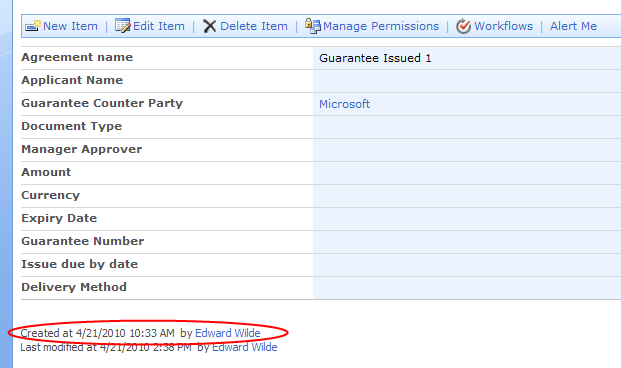
Last modified
The internal field name for the person who created a list item is ‘Editor’ use SPBuiltInFieldId.Editor to access this field. The display name for this field is ‘Modified By’ it can be seen in the UI circled below:

Updating Created By, Modified By
The trick here is to call SPListItem.UpdateOverwriteVersion() instead of SPListItem.Update()
SPListItem item = list.Items[0];
item[SPBuiltInFieldId.Author] = "1;#Edward Wilde";
item[SPBuiltInFieldId.Editor] = "1;#Edward Wilde";
copiedItem.UpdateOverwriteVersion();
 Edward Wilde
Good tip with UpdateOverwriteVersion(), thanks.
I’d only add:
SPUser user = web.EnsureUser(“Edward Wilde”);
string userLogonName = user.ID + “;#” + user.Name;
item[SPBuiltInFieldId.Author] = “userLogonName”;
…
so you don’t have to search for ID.
I’ve created a custom field that makes it possible to change these fields from the UI:
Changing system properties for an item from the SharePoint user interface
Hi,
instead of UpdateOverwriteVersion you can also use SystemUpdate. http://msdn.microsoft.com/en-us/library/ms479448.aspx
greetings Stefan